Particle Counter Positioning Evaluation Research
Advancing clean room technology through innovative particle positioning and monitoring solutions.
Access ApplicationHow To Use
To use the tool, it is simple. From the main page, press "Access Application"

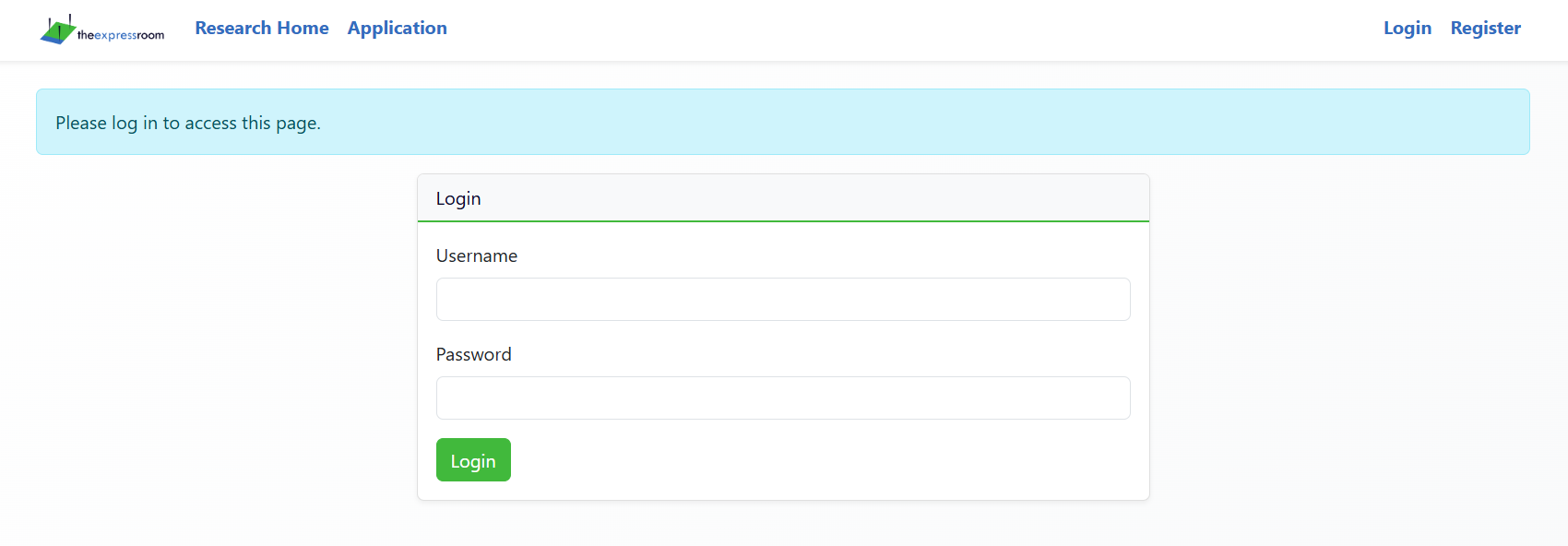
If you do not have a user, click on the "Register" button on the right side of the top screen. If you already have an user, type your username and password and press "Login".
Press "Create New Room"

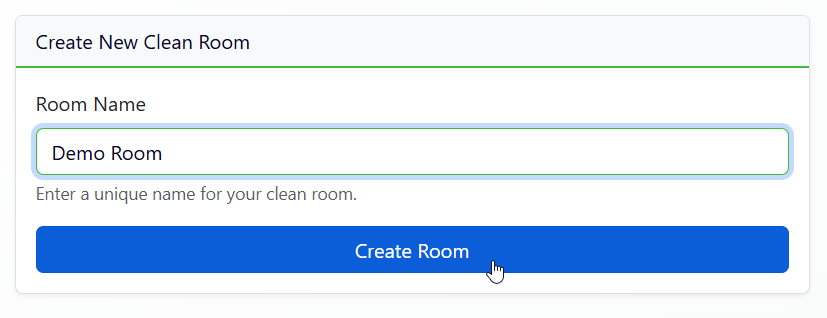
Type the name of the room, and press "Create Room"
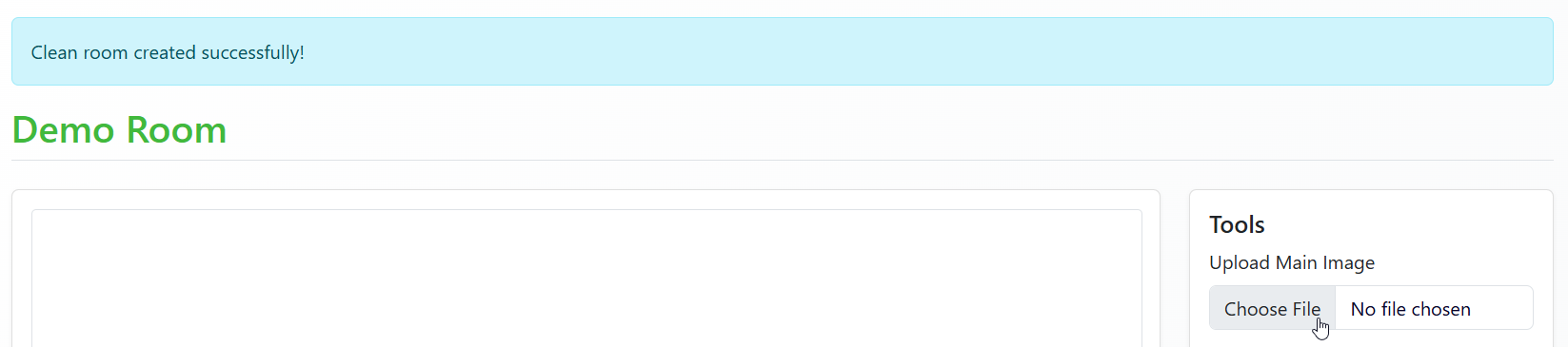
Press "Choose File", and select a floor plan of your room.
The application will show you the image you uploaded.
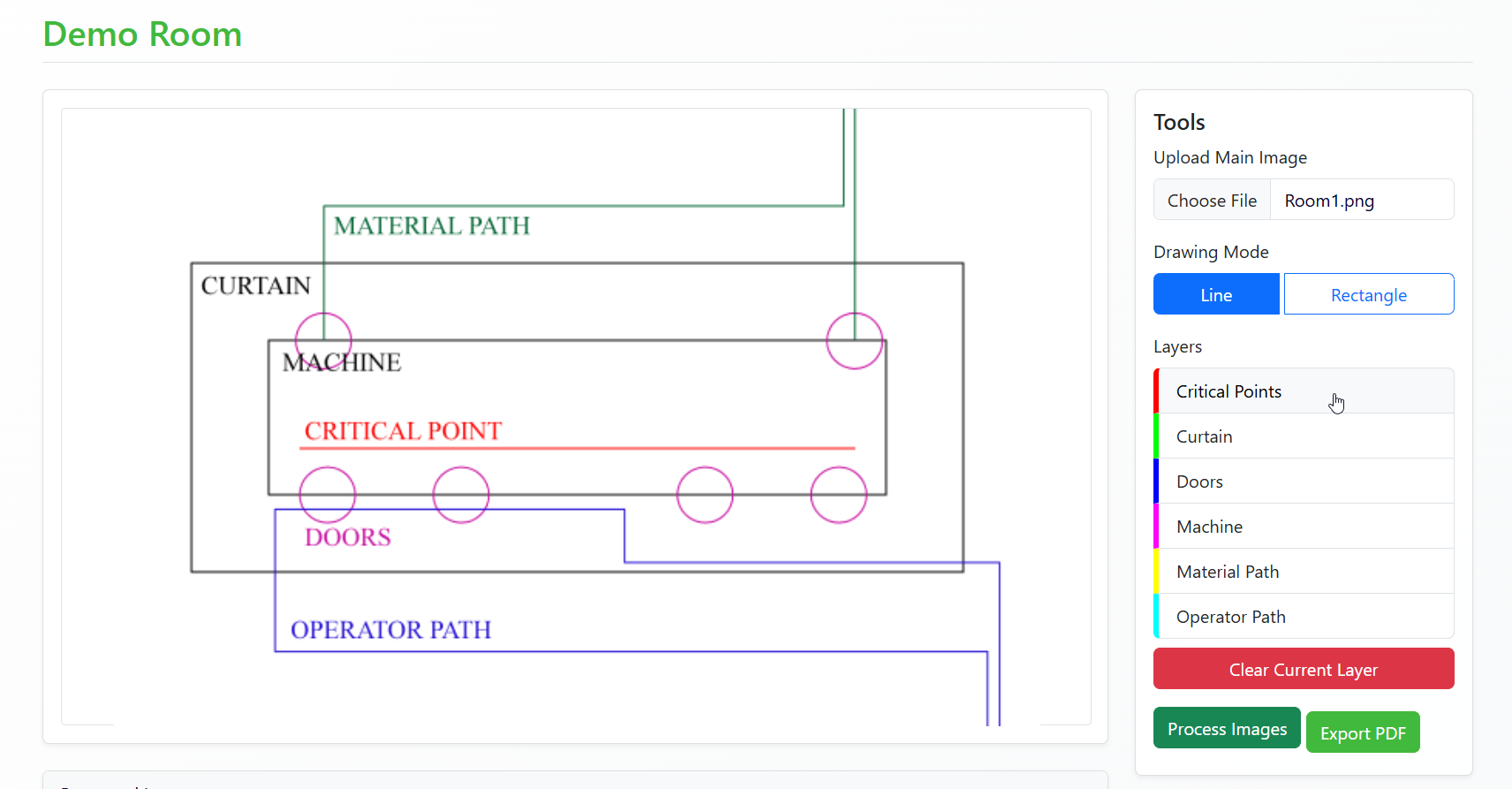
Click on each one of the layers, selecting either "Line" or "Rectangle", and draw over the floor plan where each item is located.
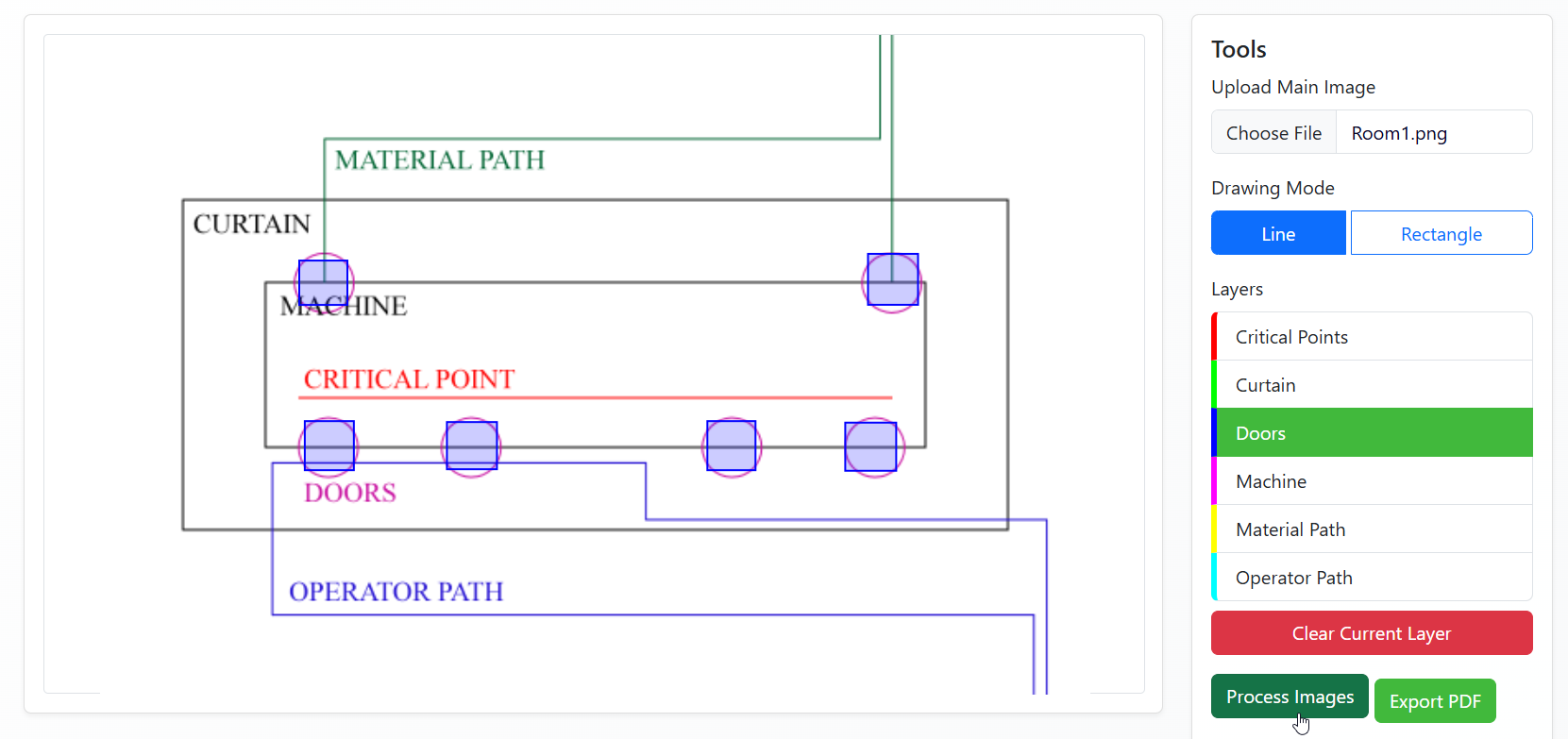
When you are done with all the layers, press "Process Images"
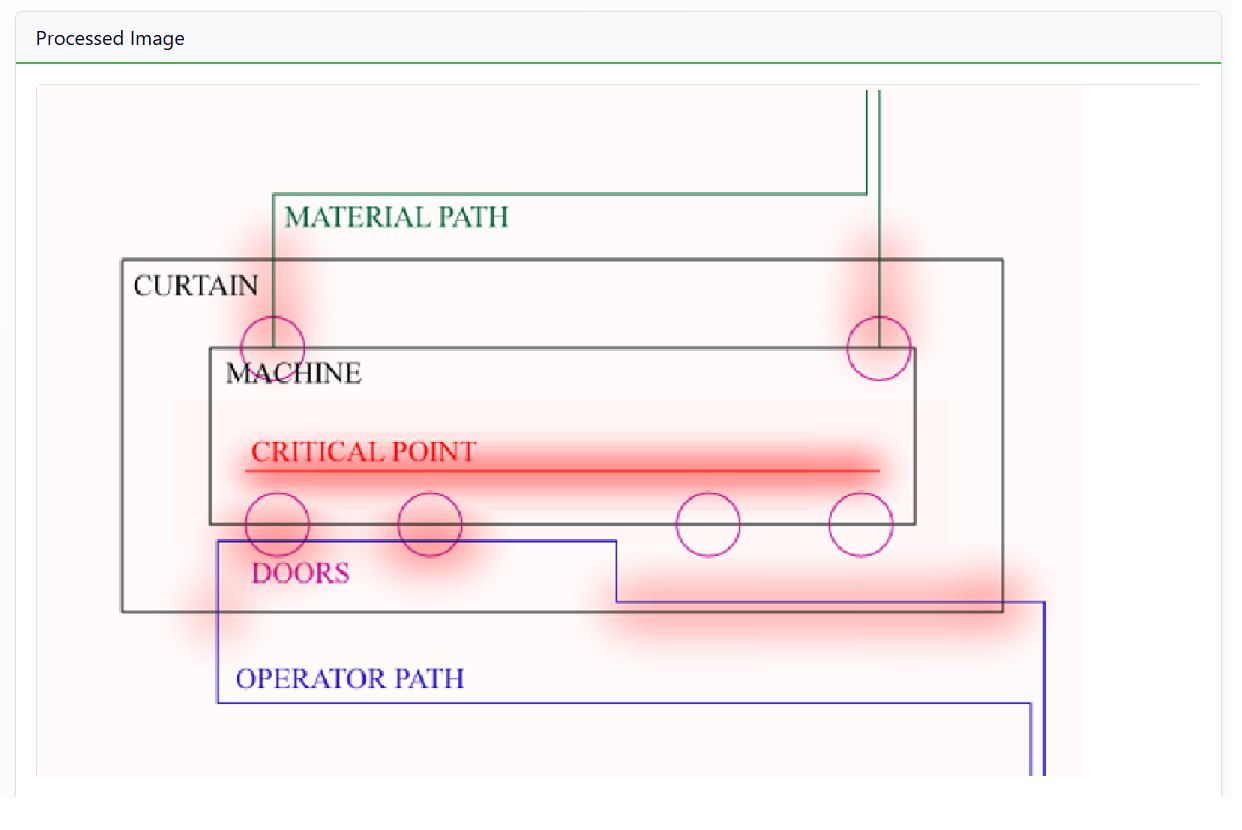
Scroll down to see the result
The result image will show you the original floor plan, with a red highlight on all the areas considered representative from a pharmaceutical perspective.
Research Introduction
Our research focuses on developing advanced methodologies for optimizing clean room particle counter positioning using image processing and machine learning techniques.
The use of multi-layer analysis provides capabilities to evaluate the high-representation zones of a clean room on a design stage, requiring minimal effort and data.
Project Objectives
Accessible
Provides a user-friendly experience that allows non-IT users to easily input data and obtain meaningful output.
Scalable
Adaptable to evolving needs, allowing for the incorporation of new evaluation criteria and intricate variable relationships to improve output reliability.
Artificial Intelligence
Utilize the inputs and outputs of the image-processing algorithm as training data for a neural network, enabling the expansion of calculations to a 3D environment through simplified approaches.
Methodology & Publications
Methodology
- ☑ Foundation: 2D Multi-Layer Algorithm Development
- ☑ Validation: Web-Based Proof of Concept
- ☑ Enhancement: AI Capabilities
- ⚫ Add Risk Assessment Generation
- ⚫ Future: 3D Expansion with AI
Publications
- 📄 Continuous airborne particle count in the pharmaceutical industrial environment: A fundamentals theoretical review (Awaiting publication)
- 📄 Expected Behavior Curve for Evaluating Sampling Points of Particle Counters in Pharmaceutical Environment (Under revision)
- 📄 Use of image filters to create a representation map of monitoring points for airborne particles in pharmaceutical environments (Under development)